
-

user951997
Beginner - 31 minute ago
MotoGP 26 PPSSPP (PSP) Download Android Offline 2026 Riders and Liveries
Want a bike racing game on your phone that doesn't need data? MotoGP 26 PPSSPP brings the 2026 riders, new team liveries, smooth handling and full offline play to Android, and it runs fine on mid-range phones.
Racing games on mobile are usually either full of ads or too big to keep. You download one, play for ten minutes, then a pop-up kills the mood. I got tired of that, and it's why I went looking for a proper bike game I could play offline. MotoGP 26 on PPSSPP was the one that stuck.
I've been a MotoGP fan for years, and the old PSP bike games were some of the best time-killers back then. The only problem was they stayed frozen in time, with riders who retired long ago and bikes that looked nothing like what's on the grid now. This mod fixes that. You get the 2026 riders, new liveries and a game that runs on your Android phone with zero data.
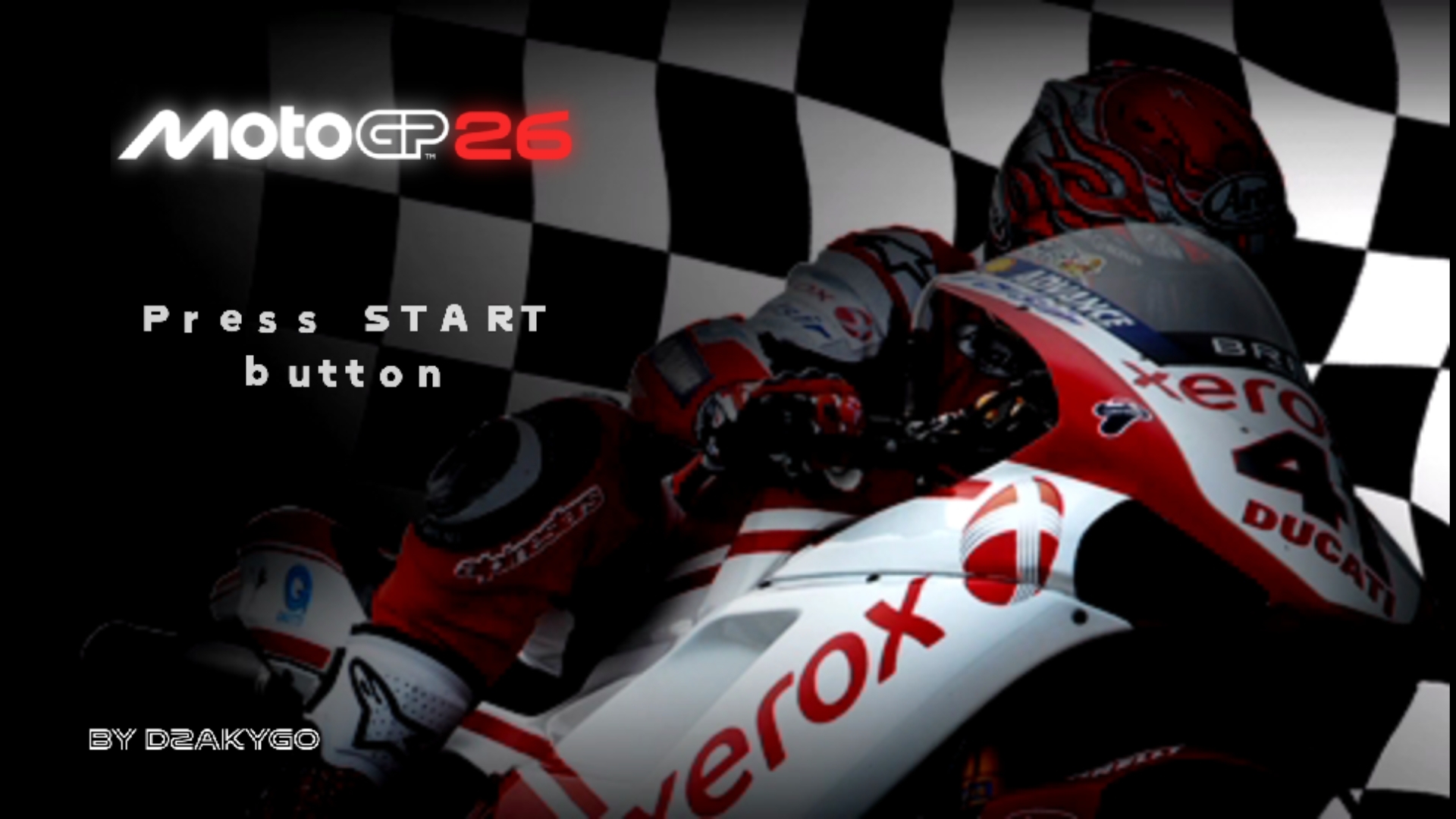
Read the whole post before you download. A few small details will save you a lot of stress.
DOWNLOAD MOTOGP 26 PPSSPP ISO FILE
📑 Contents
- What Is MotoGP 26 PPSSPP?
- How the PPSSPP Emulator Works
- Features of MotoGP 26 PPSSPP
- What Your Phone Needs
- How to Download and Install
🏍️ What Is MotoGP 26 PPSSPP?
It's a fan-made PSP racing game built on an older MotoGP base. Modders swapped in this season's riders, team names, bike designs and liveries, so the game feels current even though the engine is old. Since it's a PSP game, you can't install it like a normal APK. It comes as an ISO file that runs inside an emulator.
It isn't an official Dorna or game studio release. Nobody made a new PSP game years after the console was dropped. The community did it themselves, and honestly they did a good job.
📱 How the PPSSPP Emulator Works
PPSSPP is a free app that acts like a PSP inside your phone. You open it, pick the game file, and the game starts like it would on the real handheld. The screen is bigger and the picture is often sharper than the original.
How smooth it runs depends on your phone. A newer model with decent RAM will handle it with no trouble. An old phone may lag in busy races, so be ready to change a few settings.
🔥 Features of MotoGP 26 PPSSPP
Here's what you get. You can decide if it deserves space on your phone.
1. 🏁 2026 Riders and Team Liveries
This is the biggest draw. The grid has the current season's riders, with bikes painted in the new team colours. Marc Marquez and Bagnaia are on the Ducati side, Acosta is on the KTM, Quartararo is on the Yamaha and Martin is on the Aprilia. Sponsors are on the bikes and leathers too, so it feels like the real thing.
2. 🛣️ Tracks and Bike Handling
The tracks are the classic circuits you know, and the bikes feel weighty in corners. You have to brake early, lean in and get on the throttle at the right time, or you'll end up in the gravel. It's not a casual arcade racer, and that's what makes a win feel good.
3. 🎮 Camera and Control Options
You can switch between the behind-the-bike view and the rider view. Some people like seeing the whole bike, others like being close to the action. Try both for a few laps before you pick. You can also change the button layout in PPSSPP if the default doesn't suit your thumbs.
4. 🎙️ English Language
Menus and text are in English, so you won't be guessing what each option does. Setting up a race, changing bikes and picking a season mode are all easy to follow.
5. 📴 Offline Game
Once the game is on your phone, you don't need internet to play. No data, no Wi-Fi, no problem. Open the app and ride.
📋 What Your Phone Needs
| Item | Details |
|---|---|
| Android version | 7.0 and above |
| Emulator | PPSSPP from the Play Store (free or Gold) |
| Storage space | 2GB free or more |
| Game file | The ISO from the link below |
| Unzip tool | ZArchiver or any similar app |
Gold is the paid version of PPSSPP. It just supports the developer, and the free one works fine for this game.
📥 How to Download and Install MotoGP 26 PPSSPP on Android
- Get the PPSSPP emulator from the Play Store and install it.
- Tap the download link and grab the game ISO file.
- If it comes zipped, open it with ZArchiver and extract the ISO.
- Put the ISO in a folder that's easy to find.
- Launch PPSSPP, go to that folder, tap the ISO and the game will load.
- Play around with the settings until it runs well on your phone.
Having lag? Lower the rendering resolution and switch on frame skipping. Most slow phones run fine after that.
DOWNLOAD MOTOGP 26 PPSSPP ISO FILE
#MotoGP26PSPgame #MotoGP26Android #MotoGP26offlinegame #MotoGP26PPSSPP #MotoGP26PSPISO #MotoGP2026Androiddownload #MotoGP2026camerasettings #MotoGP2026Englishversion #MotoGP2026racinggamePPSSPP #MotoGP2026ISOAndroid #MotoGP2026latestupdate #MotoGP2026newliveries #MotoGP2026newseasonupdate #MotoGP2026normalversion #MotoGP2026offlineAndroid #MotoGP2026offlineracinggame #MotoGP2026riderupdate #MotoGP2026PPSSPPAndroid #MotoGP2026PPSSPPdownload #MotoGP2026PPSSPPinstallationguide #MotoGP2026PPSSPPlatestversion #MotoGP2026PPSSPPoffline #MotoGP2026PPSSPPsettings #MotoGP2026PSPISOdownload #MotoGP2026realisticgameplay #MotoGP2026realisticgraphics #MotoGP2026savedata #MotoGP2026texturefile #MotoGP2026teamupdate #MotoGP2026updatedriders #MotoGPPSPmod2026 #MotoGPPSPliveryupdate

:
: